Yes, the patient's app allows you to buy products and medications directly from your mobile device, offering convenience and quick access to the products you need.

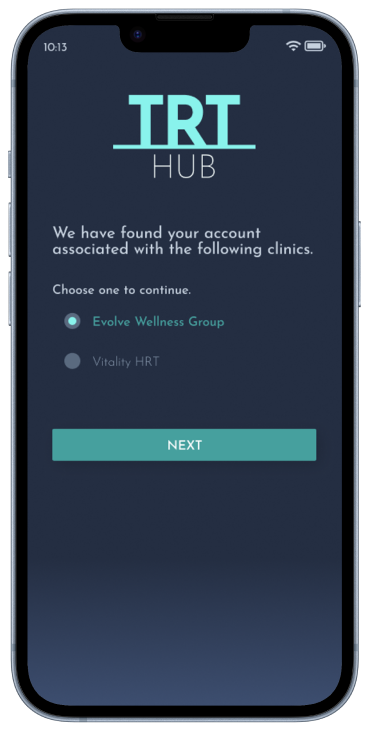
Log in with your previously registered account or request your registration from your clinic.
Purchase the necessary products to continue your treatment through your clinic's pharmacy.Then, receive the products at the door of your house and start your treatment.
Make an appointment with a doctor and start a treatment.
Once you start your treatment, get full access to TRT Hub: share your medical tests, record your treatment progress, talk to your doctor and buy more medications whenever you need it.


Everything you need to know about TRT Hub. Solve your doubts in the frequently asked questions section. If you can't find what you're looking for, contact us.
Yes, the patient's app allows you to buy products and medications directly from your mobile device, offering convenience and quick access to the products you need.
The patient's app allows you to track your treatment progress in detail, including medication intake, symptoms, and any other relevant information to assess your progress.
Use the telehealth feature in the patient's app to connect with your doctor remotely via video calls and receive medical care without leaving home.
The patient's app prioritizes the security and privacy of your health information, employing robust encryption and compliance measures to safeguard data transmission and storage.
Your treatment plan and medication schedule are easily accessible within the patient's app, providing clear guidance on medication intake and treatment goals.
Register with an email associated with your clinic. If you do not yet have an email address registered by your clinic, contact your provider.
Set up your profile: add a profile photo and set your working hours.
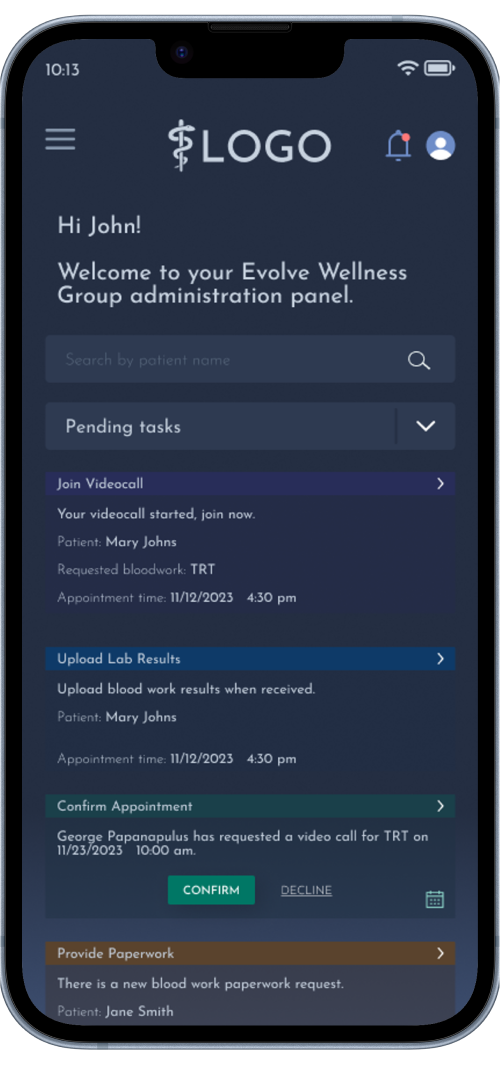
View your pending actions from the home screen: see your pending appointments, orders to fill, missing paperwork, etc. Don't miss any details.
Book appointments with patients: The system displays your available hours based on your schedule and previous appointments. Also, prescribe medications and products, include instructions and contraindications, and provide shipping details.
Check your patients' progress regarding their treatments, confirm that their documentation is in order, request medical tests or manage their orders from your mobile application. You can also send quick messages to your patients without having to schedule an appointment.
Everything you need to know about TRT Hub. Solve your doubts in the frequently asked questions section. If you can't find what you're looking for, contact us.
Yes, in the doctor's app, you can write detailed instructions on medications, including dosage, frequency, and any relevant warnings to ensure safe use.
On the home screen of the doctor's app, you'll find a list of pending tasks, such as scheduling appointments or completing documents. Simply click on each task to complete it.
The doctor's app provides a secure digital signature feature, allowing you to sign documents electronically with ease and confidentiality.
Yes, you can access and manage patient medical history securely within the doctor's app, ensuring comprehensive and organized patient care.
Use the video call feature within the doctor's app to connect with your patients remotely and provide personalized care.
Log in with your username, then register all your doctors and their patients. From here you can see all the details regarding your staff and their clients.TRT Hub serves as a database to store the information of the people involved with your clinic.
Manage your inventory, the availability of your products, everything related to your patients' orders and the details of your sales. The TRT Hub interface will let you know how to find and use all these functions in a couple of seconds
The platform automatically records payments made and maintains an up-to-date record of financial transactions for review and tracking.
Patients can make payments online through the platform using secure and convenient payment methods using credit cards.
The platform records each product sale, the doctor who made the sale, the cost and more information.
The platform processes sales data and generates reports showing key statistics such as total sales, number of products sold, average transaction value, etc.You can use this information to grow your business and scale it.
Everything you need to know about TRT Hub. Solve your doubts in the frequently asked questions section. If you can't find what you're looking for, contact us.
With just one click, you can invite patients through the clinic's app by sending them an invitation via email or text message to join your platform.
Use the inventory management feature in the clinic's app to keep an updated record of your available products and medications, facilitating replenishment and stock tracking.
Yes, the clinic's app provides comprehensive analytics and reporting tools to track business performance, monitor patient engagement, and identify opportunities for improvement.
The clinic's app offers built-in communication features such as internal messaging and task assignment, fostering collaboration and coordination among clinic staff members.
Use the integrated payment feature in the clinic's app to securely and conveniently receive treatment payments from your patients.